Multi-Project Releases
Managing releases that span multiple Jira projects can be challenging, but Story Maps for Jira makes it straightforward by allowing you to visualize and coordinate work across project boundaries in a single story map.
Step 1: Create Your Multi-Project Map
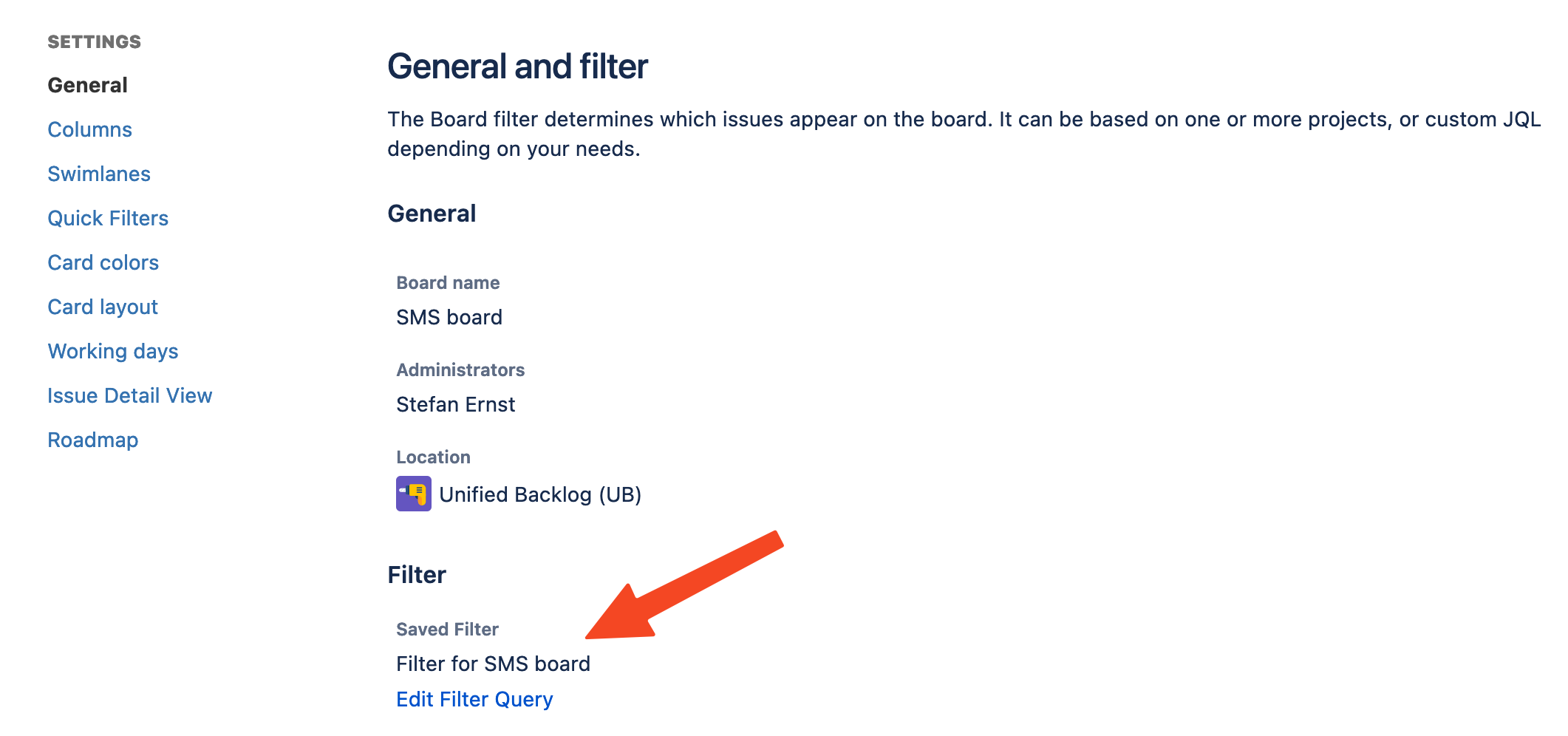
Start by creating a dynamic map that pulls issues from all the projects involved in your release. When you create a new story map, configure the agile board to include multiple projects by using a filter query like this:
project in (Project1,Project2,Project3)This query allows you to pull issues from multiple projects into a single unified view, giving you complete visibility into all the work that needs to be coordinated for your release.
Step 2: Align Your Project Releases
Before you can effectively coordinate across projects, you need to ensure that your releases are properly set up. The most important requirement is that releases have identical names across all projects. This consistency is crucial because it allows Story Maps for Jira to properly unify and coordinate the releases in your story map.
You can create these matching releases in two ways. The first approach is to manually create releases in each project, making sure they have exactly the same names. Alternatively, if your organization uses version synchronization tools, you can use those to automatically synchronize release versions across all your projects.
Step 3: Organize Work Using Release Swim-lanes
Once your map is set up with multi-project data and your releases are aligned, you’ll see that Story Maps for Jira automatically unifies releases into swim-lanes. This gives you a clear visual representation of how work is distributed across different releases and projects, making it easy to see what’s planned for each release at a glance.
The real power comes from the drag-and-drop functionality. You can move issues between different release swim-lanes simply by dragging them. When you do this, the app automatically updates the “fixVersion” field in Jira, keeping your project data synchronized with your story map planning.
Understanding Dependencies and Coordination
As you work with your multi-project story map, you’ll find that visualizing release dependencies becomes much easier. The story map helps you coordinate release planning across multiple teams by showing how work relates across projects. You can quickly anticipate potential impacts when changes occur in one project, and identify bottlenecks that might cause you to miss deadlines.
This unified view provides several key advantages. You get complete visibility into all related work across projects in a single view, making it easy to identify and track cross-project dependencies. You can coordinate timing and deliverables across multiple teams more effectively, spot potential issues before they become problems, and provide clear progress updates to all stakeholders involved in the release.
Do you have questions? We are here to help! Contact our support team for assistance with setting up multi-project releases or any other Story Maps features.
Next Steps
- Custom Field Swimlanes - Learn advanced swimlane configuration
- Export Features - Generate reports for stakeholders
- Board Management - Optimize multi-project board connections